Introduction to GE Universal Remote Codes
GE universal remote codes are the foundation that allows a single remote control to operate multiple electronic devices such as televisions, DVD players, sound systems, and streaming accessories. These codes are essentially programmed infrared signals that tell your device what action to perform when a button is pressed on the remote. Without the correct code, the remote cannot communicate properly with the device, which is why setup depends heavily on selecting the right code.
In modern home entertainment systems, GE universal remotes are widely used because they reduce the need for multiple remotes and simplify device control. Whether you are using a smart TV, an older LCD model, or a soundbar system, the correct GE remote code ensures smooth pairing and reliable performance. Understanding how these codes work is the first step toward successfully configuring your remote without frustration.
How GE Universal Remote Codes Function in Real Devices
GE universal remote codes work by sending infrared (IR) signals in a specific pattern that matches the command system of a particular device brand. Each manufacturer programs its TVs and electronics to respond only to recognized signal patterns, and GE remotes store thousands of these patterns in their internal memory. When you enter a code, you are essentially telling the remote which signal format to use.
Once the correct code is entered, the remote becomes synchronized with your device. This allows it to perform essential functions like power on/off, volume control, channel switching, and input selection. In many cases, newer GE remotes also support partial smart TV navigation features depending on compatibility. This makes the code system extremely important because it determines how much control you will have over your device.
The process is designed to be user-friendly, but it relies entirely on accuracy. Even a single incorrect digit in a GE universal remote code can result in complete failure to connect, which is why users often test multiple codes until they find the correct match.
Understanding GE Remote Versions and Code Compatibility
GE universal remotes come in different versions such as CL3, CL4, CL5, and CL6, and each version contains a slightly different database of codes. These versions are usually printed inside the battery compartment and are crucial for identifying which code list you should use. Many users experience setup issues simply because they are using the wrong version of codes for their remote.
Each new version is updated to support newer television brands and improved infrared technology. For example, CL5 and CL6 remotes are generally more compatible with modern smart TVs, while older CL3 models may struggle with newer devices. This evolution in design ensures broader compatibility but also creates confusion when users try outdated code lists.
Understanding your remote version ensures that you are not randomly testing codes but instead using a structured set of compatible options. This significantly improves success rates and reduces setup time when programming your GE universal remote.
Popular GE Universal Remote Codes for TVs and Entertainment Devices
GE universal remote codes vary depending on the brand and type of device being controlled. Television brands like Samsung, LG, Sony, Vizio, TCL, and Hisense all use multiple code variations because different production models require different signal mappings. This means there is never just one code per brand, but several possible options.
For example, Samsung TVs often respond to multiple code variations depending on the model year, while LG TVs also require different codes for LED, OLED, and older LCD versions. Sony TVs and Vizio TVs similarly have a wide range of compatible codes due to changes in their internal control systems over time. This is why GE remotes are designed with large code libraries instead of single-code assignments.
Other devices such as DVD players, Blu-ray systems, and soundbars also use separate code groups. These codes ensure that each device type responds correctly without interfering with other connected equipment in your entertainment setup.
Step-by-Step Logic Behind Entering GE Universal Remote Codes
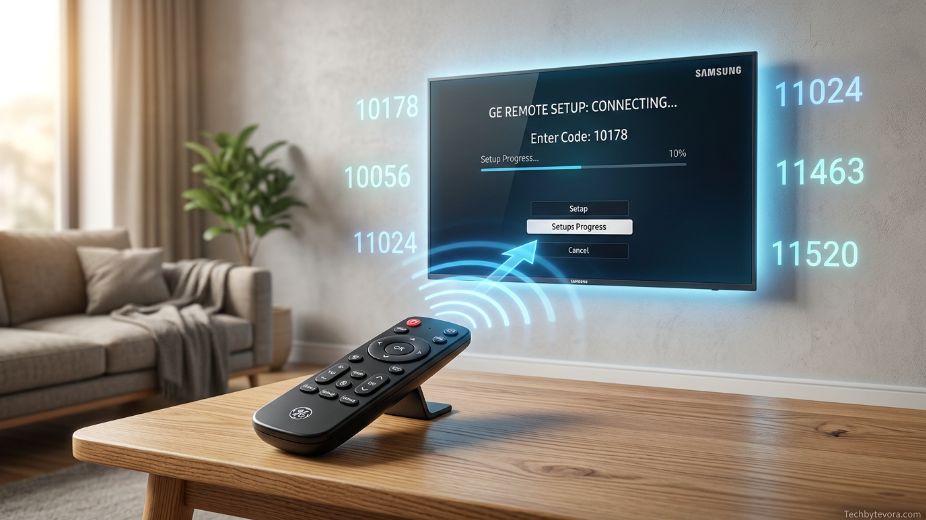
The process of entering GE universal remote codes follows a structured logic that ensures the remote communicates correctly with your device. First, the device must be turned on manually so that it is ready to receive signals. Then the remote is set to the correct mode such as TV, DVD, or AUX depending on what you are trying to control.
After selecting the correct mode, the code is entered using the number buttons. Once entered, the remote immediately sends a test signal to the device. If the device responds by turning off or reacting to commands, the code is considered correct and successfully programmed. If there is no response, the process is repeated with another code from the same brand list.
This trial-and-confirm method is necessary because multiple codes exist for each brand. The correct code is the one that fully synchronizes the remote’s signal pattern with the device’s infrared receiver system, allowing complete control over essential functions.
Why GE Universal Remote Codes Fail or Stop Working
Even though GE universal remote codes are designed for compatibility, there are situations where they fail to work. One of the most common reasons is incorrect code selection based on remote version. If a user applies a CL4 code list to a CL6 remote, the setup may fail even if the brand is correct.
Another major issue is device compatibility, especially with newer smart TVs that use updated infrared or hybrid control systems. Some modern devices are optimized for app-based or Bluetooth remotes, which can limit the effectiveness of traditional infrared-based GE remotes. In such cases, even correct codes may only provide partial functionality.
Low battery power, signal obstruction, or incorrect device mode selection can also cause failures. These issues often make users think the code is wrong when the actual problem is related to signal transmission or setup conditions rather than the code itself.
Troubleshooting GE Universal Remote Code Problems Effectively
When GE universal remote codes do not work as expected, the first step is to restart the setup process carefully. Replacing batteries is often overlooked but extremely important because weak power reduces infrared signal strength and prevents proper device communication.
Another effective troubleshooting method is verifying the correct device mode. If the remote is set to AUX instead of TV mode, it will not control the television even if the correct code is entered. Ensuring the right mode is active before programming eliminates one of the most common setup errors.
If issues persist, testing alternative codes for the same brand is often the solution. Manufacturers frequently assign multiple working codes to accommodate different production batches, so switching between codes can help achieve full compatibility.
GE Universal Remote Auto Code Search Method Explained
The auto code search method is a built-in feature in GE universal remotes that automatically scans through all stored codes until it finds one that works with your device. Instead of manually entering numbers, the remote sends continuous infrared signals while cycling through its internal code database.
When the device responds, usually by turning off or reacting to a command, the remote locks onto that specific code. This method is especially useful when users do not know their device brand code or when manual entry fails repeatedly. It removes guesswork and increases the chances of successful pairing.
Although the auto search method takes longer than manual entry, it is often more reliable for modern mixed-device environments where multiple code variations exist for a single brand.
Best Practices for Using GE Universal Remote Codes Successfully
To achieve the best results with GE universal remote codes, it is important to follow a consistent setup approach. Always ensure the device is powered on before starting and keep a clear line of sight between the remote and the device sensor. Infrared signals require direct transmission, so physical obstruction can interrupt the process.
It is also important to take note of the remote version before selecting codes. Using the correct CL version ensures that you are working with the right compatibility database, which significantly improves success rates. This small detail often determines whether the setup is quick or frustrating.
Patience also plays a key role, as some devices require multiple attempts before the correct code is found. Since GE remotes are designed with broad compatibility rather than single-code precision, testing different codes is a normal part of the setup process.
Conclusion on GE Universal Remote Codes and Their Importance
GE universal remote codes remain an essential part of simplifying home entertainment control systems. They allow users to manage multiple devices with a single remote, reducing clutter and improving convenience. When properly understood and applied, these codes make device management smooth and efficient.
The key to success lies in understanding remote versions, selecting correct device modes, and systematically testing compatible codes or using auto search when needed. While occasional compatibility issues may arise with newer devices, most setups can still be completed successfully with the right approach.
By mastering GE universal remote codes and understanding how they function, users can unlock full control over their entertainment systems and enjoy a more seamless viewing experience without the hassle of multiple remotes.
Read More : GE Universal Remote Codes Guide for Easy TV Setup 2026 Tips
FAQs About GE Universal Remote Codes
GE universal remote codes are often confusing for first-time users, so these FAQs address the most common real-world issues people face during setup and daily use.
Why are there multiple GE universal remote codes for one TV brand?
Most TV brands produce different models over several years, and each model may require a slightly different infrared signal pattern. That is why GE universal remote codes are not limited to a single number per brand. Instead, multiple codes are provided to ensure compatibility across older and newer devices.
This variation also helps GE remotes stay usable even when manufacturers update their internal control systems. If one code does not work, another one for the same brand usually will, which is why testing multiple codes is part of normal setup.
What should I do if none of the GE remote codes work?
If none of the GE universal remote codes work, the issue is usually not the brand itself but the setup process. First, make sure the remote has fresh batteries and is set to the correct device mode such as TV or AUX.
If everything is correct and it still fails, using the auto code search method is the best option. This feature automatically scans all stored codes until it finds one that matches your device, which often solves compatibility issues that manual entry cannot.
How do I know if I entered the correct GE universal remote code?
You will know the correct GE universal remote code is working when your device responds immediately after entering it. In most cases, the TV will turn off or begin responding to volume and channel buttons.
If there is no response at all, the code is incorrect or incompatible with your remote version. In that case, you should try another code from the same brand list or switch to auto search mode.
Can GE universal remote codes work with smart TVs?
Yes, GE universal remote codes can work with many smart TVs, but functionality may vary. Basic features like power, volume, and channel control usually work without issues, but advanced smart features such as apps or voice control may not be supported.
This limitation happens because smart TVs often use Bluetooth or Wi-Fi-based controls, while GE remotes rely on infrared signals. However, most users still find the basic control functions sufficient for everyday use.
Why does my GE remote stop working after working once?
If your GE universal remote codes worked initially but stopped later, the issue is often related to battery power or signal obstruction. Weak batteries can reduce infrared strength, making the remote unresponsive.
Another possibility is accidental mode switching. If the remote is switched from TV mode to another device mode, it may appear not to work even though the code is still correct. Resetting the mode usually fixes the issue quickly.
Do I need internet for GE universal remote codes to work?
No, GE universal remote codes do not require an internet connection. These remotes use built-in infrared code libraries stored directly in the remote itself.
This means once the correct code is entered, the remote will continue working offline without needing Wi-Fi or updates. This is one of the main reasons universal remotes remain reliable for basic home entertainment control.